
How to Create Accurate Fence Estimates in Minutes with Automated Measurements
Fence contractors lose hours every week building estimates by hand, juggling spreadsheets, measuring wheels, and scribbled notes. Manual quoting is not only slow but prone to costly errors that eat into already tight margins. Automated fence estimating software changes the equation entirely. With the right platform, you can measure a property, calculate materials, price a job, and deliver a polished quote to a homeowner in minutes rather than hours. This guide walks you through the exact process, from initial measurement to sent proposal, using modern tools built specifically for the fence industry.
Why Manual Fence Estimates Fail
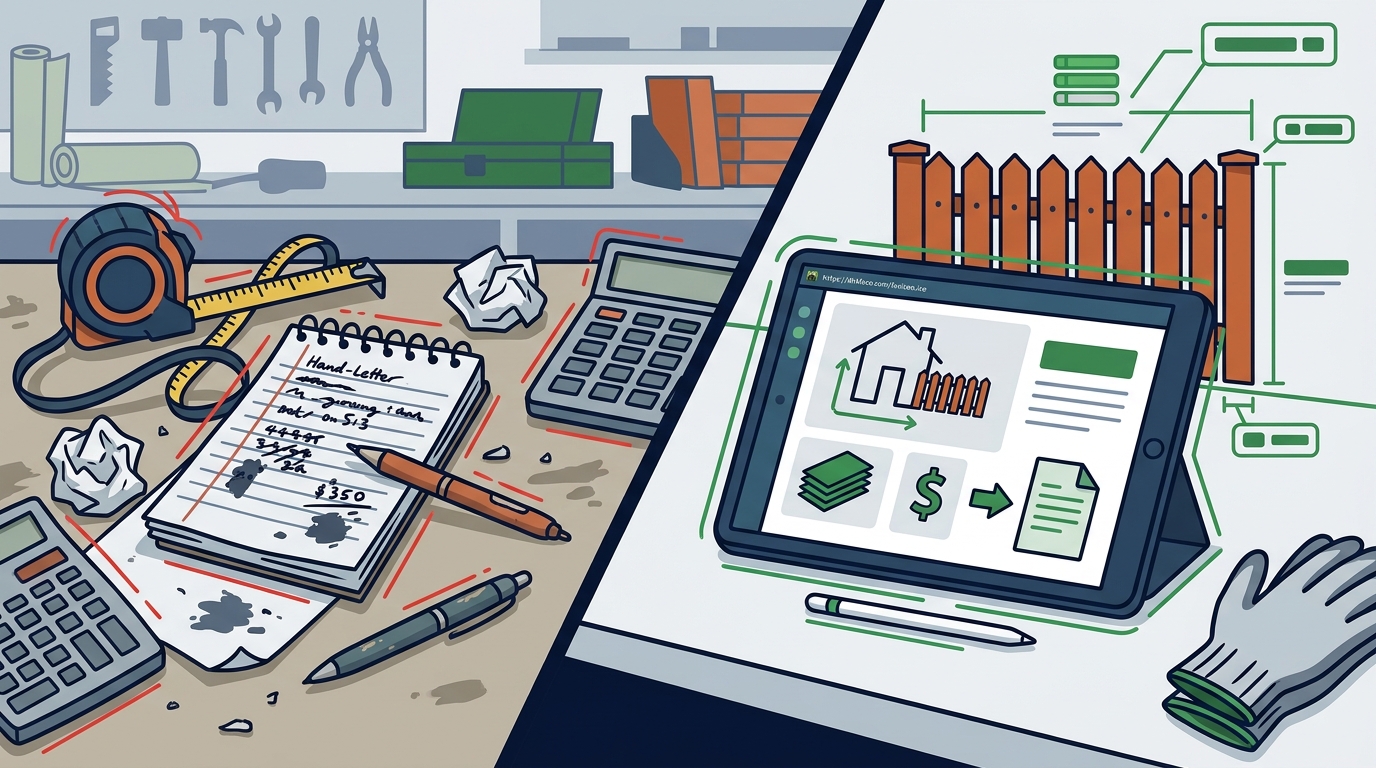
The traditional fence estimating workflow involves measuring a property with a wheel, writing down footage, manually counting posts and gates, then opening a spreadsheet to price everything out. Each hand-off introduces risk. A missed gate latch or an incorrect post count can wipe out your profit on a job.
According to STACK Construction Technologies, manual takeoffs are time-consuming and prone to costly errors that lead to material shortages or overages. Posts and hardware alone can represent 15 to 25 percent of total material costs, and they are the items most frequently overlooked in manual estimates.
The bottom line: if your estimator measures in one app, prices in a spreadsheet, and builds the proposal in a document template, you do not have a process. You have a collection of disconnected steps where mistakes hide.
What Is Automated Measurement in Fence Estimating?
Automated measurement is the process of using software to calculate linear footage, post counts, and material quantities directly from a digital property map or on-site drawing. Instead of walking a property line with a measuring wheel, you trace fence runs on a screen and the software does the math instantly.
A fence estimating platform is a specialized digital tool that converts measurements into fully priced documents covering labor, materials, markups, and overhead. Dirtface, for example, lets you generate fast, accurate fence estimates in minutes with automated measurements and industry-ready pricing tools built for contractors.
A material takeoff is a detailed list of every component needed for a fence job, from pickets and rails to concrete, brackets, and caps. Automated takeoff engines count these components the moment you define a fence line, eliminating the mental math that causes errors.
Step-by-Step: Creating a Fence Estimate in Minutes
Step 1: Set Up Your Catalog and Pricing
Before you estimate your first job, configure your materials and labor rates. Dirtface comes pre-loaded with hundreds of fence templates covering chainlink, wood, vinyl, and ornamental styles. Customize part costs, labor rates, and overhead percentages so every future estimate pulls from your real numbers.
Step 2: Measure the Property Digitally
Open the job, trace the fence line on the property map, and place gates where the customer wants them. The software calculates total linear footage, counts posts at your configured spacing, and tallies every bracket, cap, and bag of concrete automatically. No measuring wheel. No second visit.
Step 3: Review, Adjust, and Send
Review the auto-generated material list and pricing summary. Add extras like demolition or staining, apply your target margin, and generate a professional proposal. With Dirtface you can create a complete fence estimate and send it from the job site before you leave the driveway. Clients can review and approve on any device.
Essential Features to Look For
Not every estimating tool is built for fence work. Generic construction software forces you to build assemblies from scratch. Look for these fence-specific capabilities:
- Pre-loaded fence templates for wood, vinyl, chainlink, and ornamental styles so you can quote immediately.
- Automated post and material counting tied directly to your drawn fence line.
- Customizable labor and pricing that reflects your actual costs, not national averages.
- Mobile access so you can build and send quotes from any device on the job site. Dirtface offers 24/7 mobile access across all devices.
- Integrated job management covering RFQs, invoices, scheduling, and customer records in one place.
- Cloud-based storage with automatic backups to prevent data loss.
Manual vs. Automated Estimating: A Side-by-Side Comparison
| Factor | Manual Process | Automated Software |
|---|---|---|
| Time per estimate | 1 to 3 hours | 5 to 15 minutes |
| Material accuracy | Prone to missed items | Auto-counted posts, gates, hardware |
| Proposal quality | Basic spreadsheet or handwritten | Branded, professional PDF |
| Price updates | Manual spreadsheet edits | Centralized price book, instant refresh |
| Error rate | High (math, transcription) | Low (calculated from drawings) |
| Client experience | Delayed follow-up | Same-day or on-site delivery |
| Cost to business | Lost bids, material overruns | Monthly subscription, fast ROI |
Most contractors who switch to dedicated fence estimating software break even within one or two mid-size jobs, according to industry analysis from Mowing Magic.
How Automated Estimates Protect Your Profit Margins
The U.S. fencing market reached $11.7 billion in 2022, yet many contractors still underbid projects due to poor cost estimation, according to FieldCamp, citing Freedonia Group data. The problem is not a lack of work. It is pricing work correctly.
Automated software solves this by tying every drawn fence line to your actual price book. When lumber costs shift, you update one number and every future estimate reflects the change. You also capture items that manual processes miss, such as tension bands, post caps, and concrete, which together can account for 15 to 25 percent of material costs.
Dirtface takes this further by letting you manage fence contract add-ons that increase profit, such as staining, old fence removal, and gate automation. These upsells are built into your templates so you never forget to offer them.
Key Takeaways
- Manual fence estimates take 1 to 3 hours and are highly prone to costly errors in material counts.
- Automated fence estimating software reduces estimate creation time to as little as 5 to 15 minutes.
- Pre-loaded templates for wood, vinyl, chainlink, and ornamental fences eliminate setup time.
- Auto-counted posts, gates, and hardware prevent the omissions that erode profit margins.
- Cloud-based platforms let you build and send professional proposals from any device, on-site or in the office.
- Most contractors recoup their software investment within one or two jobs.
- Centralized price books keep estimates accurate when material costs fluctuate.
Frequently Asked Questions
What is fence estimating software?
Fence estimating software is a digital tool that fencing contractors use to convert measurements into fully priced documents outlining all costs of a project, from labor and materials to markups and overhead. It automates calculations and reduces human error.
How long does it take to create a fence estimate with software?
With a platform like Dirtface, you can generate a complete, professional fence estimate in as little as 5 to 15 minutes. This includes measuring, material takeoff, pricing, and proposal generation.
Can I estimate different fence types in one platform?
Yes. Dirtface comes pre-loaded with templates for chainlink, wood, vinyl, and ornamental fences. The system is flexible enough to set up virtually any fence style you work with.
Do I need to be tech-savvy to use fence estimating software?
No. Modern platforms are designed for contractors, not IT professionals. Dirtface offers a getting started knowledge base and intuitive interface that new users can learn quickly.
How does automated measurement work?
You trace fence lines on a digital map or drawing. The software automatically calculates linear footage and counts every post, panel, gate, and hardware item based on your configured spacing and templates.
Will fence estimating software work on my phone or tablet?
Yes. Cloud-based platforms like Dirtface let you access your estimates and create quotes from any device, whether you are on the job site or at your desk.
How much does fence estimating software cost?
Pricing varies by platform and feature set. Dirtface offers a 14-day risk-free trial with no credit card required, so you can test all premium features before committing.
Can the software integrate with my accounting tools?
Many fence estimating platforms offer integrations with tools like QuickBooks. Dirtface provides seamless QuickBooks integration along with point-of-sale payments and professional invoicing capabilities.
Start Creating Accurate Fence Estimates Today
Every hour you spend on manual estimates is an hour you are not selling, installing, or growing your business. Dirtface gives you the tools to measure, price, and send professional fence quotes in minutes, not hours. Start your free 14-day trial today and see how automated estimating transforms your workflow from the very first job.