
How to Create Accurate Fence Estimates in Minutes with Automated Measurements
Creating accurate fence estimates used to mean hours of manual math, spreadsheet juggling, and second-guessing material counts. Not anymore. Modern fence estimating software lets contractors generate professional, error-free quotes in minutes using automated measurements and pre-loaded templates. Whether you install wood privacy fences, chain link, vinyl, or ornamental iron, switching to an automated workflow can cut your estimating time by 50% or more while improving accuracy and win rates. This guide walks you through the exact steps to produce fast, reliable fence estimates every time.
Why Estimate Accuracy Matters for Fence Contractors
An inaccurate fence estimate does not just lose money on one job. It damages your reputation, creates material shortages mid-install, and forces uncomfortable conversations with homeowners about change orders. According to STACK Construction Technologies, manual quoting is time-consuming and prone to errors that lead to lost bids or unexpected costs.
On the flip side, consistently accurate estimates build trust, speed up approvals, and protect your margins. Fence contractors who automate their estimating process report fewer material overages, faster close rates, and higher average job values.
What Is Automated Fence Measurement?
Automated fence measurement is the process of using software to calculate linear footage, post counts, panel quantities, and material lists based on digital inputs rather than manual tape-and-paper methods. A fence estimating tool is a digital platform that converts measurements into detailed cost breakdowns covering labor, materials, overhead, and profit.
Instead of counting posts by hand or guessing gate hardware, the software applies industry-standard spacing rules and generates a complete bill of materials automatically. Platforms like Dirtface fence estimating software come pre-loaded with hundreds of fence templates for wood, vinyl, chain link, and ornamental styles so you can start quoting immediately.
Step-by-Step: Creating a Fence Estimate in Minutes
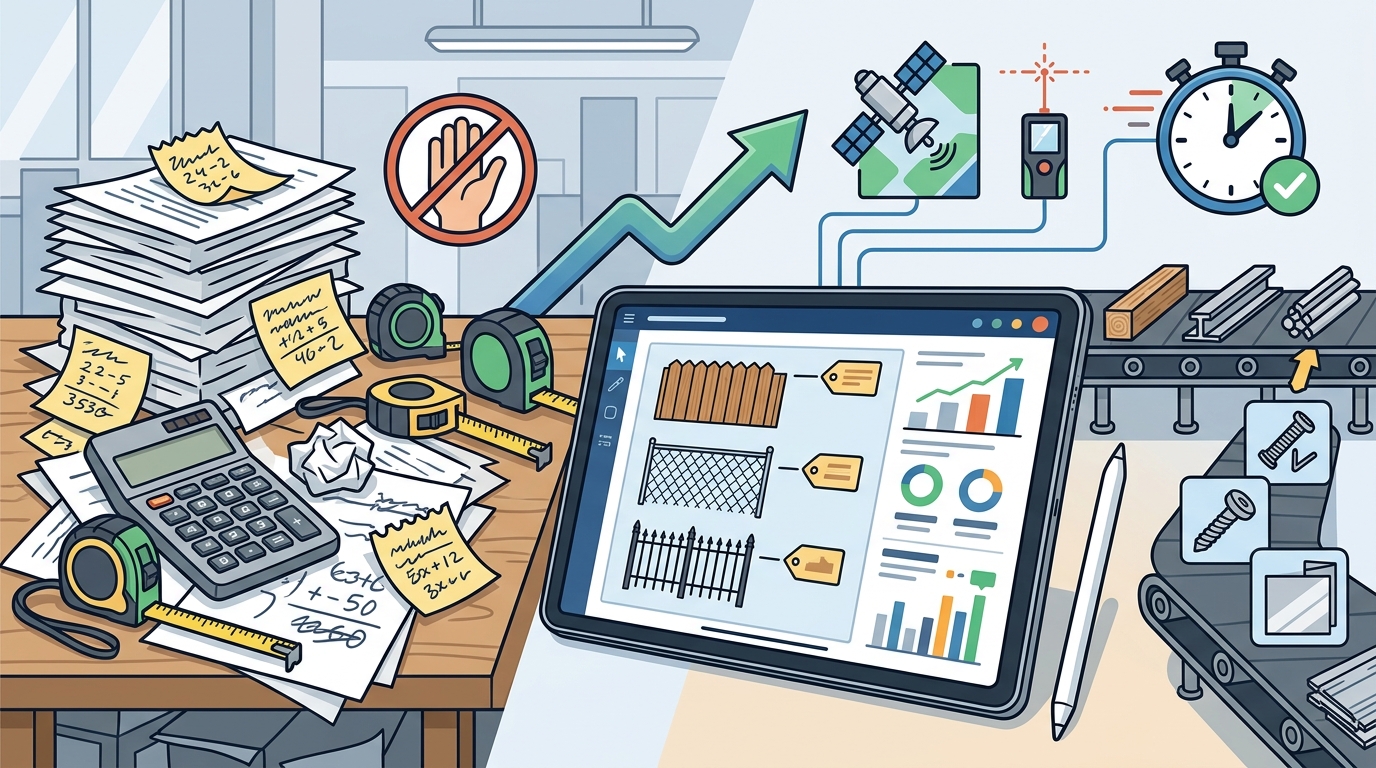
Step 1: Enter Project Measurements
Start by inputting the total linear footage of the fence run. With Dirtface, you can do this from any device, whether you are on the job site or back at the office. The getting started guide walks you through initial setup in just a few minutes.
Step 2: Select a Fence Template
A fence template is a pre-configured assembly of parts, spacing rules, and labor assumptions for a specific fence style. Choose from pre-loaded options like 6-foot cedar privacy, 4-foot chain link, or 48-inch ornamental aluminum. Each template automatically calculates posts, rails, pickets, concrete, fasteners, and hardware based on your footage.
Step 3: Review and Customize the Quote
The software instantly generates a detailed estimate that includes time estimates, labor costs, material lists, overhead expenses, concrete costs, and profit margins. Adjust pricing, add gates or extras, and apply your company branding before sending. You can also explore fence contract add-ons that increase profit to boost your average ticket.
Essential Features in Fence Estimating Software
Not all estimating tools are created equal. Here are the features that separate purpose-built fence software from generic construction apps:
- Pre-loaded fence templates: Hundreds of ready-to-use assemblies for chain link, wood, vinyl, and ornamental styles.
- Automated material takeoffs: Instant calculations for every post, panel, gate, and fitting.
- Customizable pricing and branding: Set your own labor rates, part costs, and proposal templates.
- Mobile access: Create and edit quotes from any device, on-site or in the office.
- QuickBooks integration: Sync estimates and invoices to streamline bookkeeping.
- Job management tools: Track quotes, schedule jobs, and dispatch work orders from one platform.
Dirtface offers all of these capabilities. Explore the full list on the features page or review pricing plans to find the right fit for your business.
Manual vs. Automated Estimating: A Comparison
The table below highlights the practical differences between traditional manual estimating and using dedicated fence estimating software.
| Factor | Manual Estimating | Automated Software |
|---|---|---|
| Time per estimate | 45-90 minutes | 5-15 minutes |
| Material accuracy | Prone to human error | Template-driven, consistent |
| Professional proposals | Requires separate tools | Built-in branded output |
| Mobile access | Paper or spreadsheets | Any device, 24/7 |
| QuickBooks sync | Manual data entry | Automated integration |
| Scalability | Limited by estimator hours | Handles growing volume easily |
As the data shows, automated estimating is faster, more accurate, and far more scalable for growing fence businesses. Learn more in our complete guide to creating a fence estimate.
Key Takeaways
- Automated fence measurements eliminate manual math errors and cut estimating time from over an hour to under 15 minutes.
- Pre-loaded fence templates handle wood, vinyl, chain link, and ornamental styles out of the box.
- Purpose-built fence software outperforms generic construction tools because it includes industry-specific spacing rules and assemblies.
- Mobile access lets estimators create and send quotes from the job site, closing deals faster.
- QuickBooks integration removes double data entry and keeps your books accurate.
- Customizable branding and pricing ensure every proposal reflects your business and protects your margins.
- A 14-day free trial lets you test the full platform with zero risk.
Frequently Asked Questions
What is fence estimating software?
Fence estimating software is a digital tool that helps contractors convert project measurements into detailed quotes covering materials, labor, overhead, and profit. It automates calculations that would otherwise require manual spreadsheets or pen-and-paper methods.
How long does it take to create a fence estimate with automated measurements?
Most contractors can produce a complete, professional fence estimate in 5 to 15 minutes using automated templates and measurement tools, compared to 45 to 90 minutes with manual methods.
What types of fences can I estimate with Dirtface?
Dirtface comes pre-loaded with templates for chain link, wood, vinyl, and ornamental fences. The platform is flexible enough to let you configure virtually any custom fence style as well.
Can I use fence estimating software on my phone or tablet?
Yes. Dirtface is fully cloud-based, so you can access and edit estimates from any device, whether you are in the field or at the office. Visit the knowledge base for setup tips.
Does the software integrate with QuickBooks?
Yes. Dirtface offers seamless QuickBooks integration for syncing estimates, invoices, and payment data, which eliminates redundant data entry.
How accurate are automated fence material takeoffs?
Automated takeoffs use industry-standard post spacing and panel calculations to ensure every component is accounted for. This significantly reduces the risk of material shortages or overages compared to manual counting.
Is there a free trial available?
Dirtface offers a 14-day risk-free trial with access to all premium features. No credit card is required to get started.
What makes Dirtface different from generic construction estimating tools?
Unlike general-purpose platforms, Dirtface is built exclusively for fence contractors. It includes pre-loaded fence assemblies, industry-specific templates, and tools like shop drawings and lead tracking that generic software does not offer.
Start Creating Accurate Fence Estimates Today
Stop losing time and money on manual estimates. Start your free 14-day trial of Dirtface and see how automated measurements, pre-loaded templates, and professional proposals can transform your fence business. No credit card required.