
Running a fence contracting business means juggling estimates, material lists, and job timelines every single day. When any one of those elements slips, profits disappear fast. According to the National Cooperative Highway Research Program, construction estimating errors cost U.S. companies an estimated $273 billion annually, accounting for up to 20% of total project costs. Fence contractors are not immune. The good news is that purpose-built fence estimating software can dramatically cut errors, save hours each week, and keep every project on track from quote to final invoice.
Why Manual Estimating Fails Fence Contractors
A fence estimate is a detailed calculation of labor, materials, overhead, and profit required to complete a fencing project. When contractors build these estimates in spreadsheets, every transfer between cells introduces opportunities for entry mistakes, version conflicts, and calculation gaps. Research from Compass International finds that estimating errors alone account for 32% of all construction cost overruns.
For fence businesses specifically, common pitfalls include miscounting post quantities, forgetting gate hardware, and using outdated material pricing. A QuickBooks survey found that 40% of construction companies had little confidence in their own estimates. That uncertainty translates directly into lost bids or razor-thin margins.
Step 1: Generate Accurate Fence Estimates in Minutes
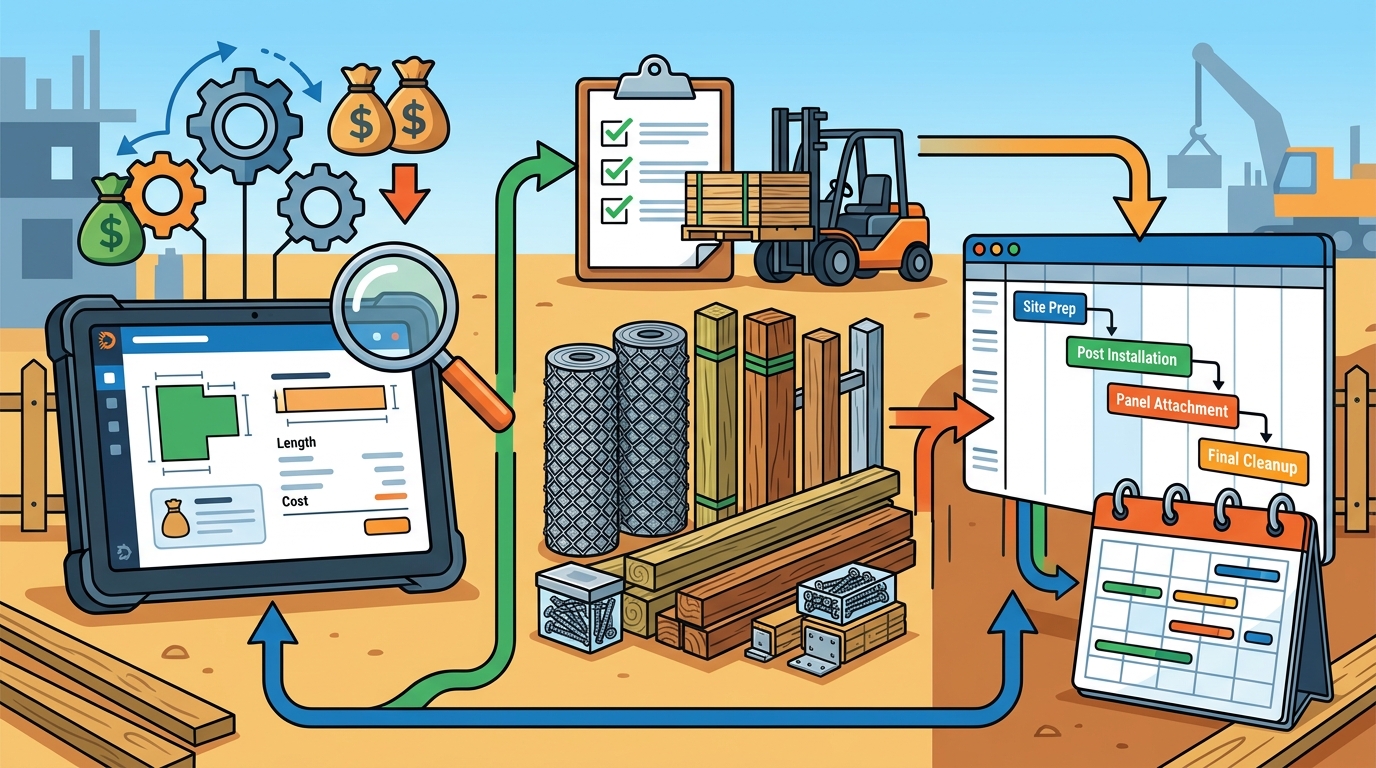
The fastest way to improve accuracy is to replace generic spreadsheets with industry-specific software. A fence quote app is a digital tool that auto-calculates material quantities, labor costs, and profit margins based on fence type, linear footage, and site conditions.
Use Pre-Loaded Templates
Platforms like Dirtface come pre-loaded with hundreds of fence templates covering chainlink, wood, vinyl, and ornamental styles. Instead of building each quote from scratch, you select the template that matches your project and adjust the variables. Learn more about the template library in the catalog basics guide.
Customize for Your Business
Every contractor prices differently. Dirtface lets you customize parts, labor pricing, branding, and templates so every quotation reflects your unique cost structure. Read the step-by-step walkthrough in how to create a fence estimate.
Quote From Anywhere
Mobile access means you can build and edit professional quotes on the job site or in the office, 24/7. No more driving back to the shop to finalize numbers.
Step 2: Streamline Material Takeoffs and Inventory
A material takeoff is the process of listing every component needed for a fence project, from posts and rails to brackets and concrete. Manual takeoffs are one of the main causes of inaccurate construction estimates, with error rates as high as 15% when done by hand versus under 5% with software.
With Dirtface, material lists generate automatically when you build a quote. The software calculates exact quantities of posts, panels, gates, concrete, and hardware. This prevents both shortages (which cause delays) and surpluses (which waste money). Explore how add-on items can also boost revenue in fence contract add-ons that increase profit.
Step 3: Keep Projects on Schedule With Job Management
Winning the bid is only half the battle. Delivering the project on time keeps customers happy and your pipeline flowing. Dirtface offers drag-and-drop job scheduling and mobile workorders so crews know exactly where to be and what materials to bring.
The platform also tracks quotes, requests, and job progress in one dashboard, eliminating the need for separate spreadsheets, whiteboards, or calendar apps. Combined with QuickBooks integration for invoicing and payments, you manage the entire project lifecycle without switching tools.
Manual vs. Software-Driven Workflows
| Task | Manual / Spreadsheet | Fence Estimating Software |
|---|---|---|
| Quote creation time | 1–3 hours per estimate | Minutes per estimate |
| Material takeoff accuracy | ~85% (15% error rate) | ~97%+ with templates |
| Scheduling | Separate calendar or whiteboard | Built-in drag-and-drop scheduler |
| Invoicing | Manual entry or separate app | Integrated invoicing & payments |
| Mobile access | Limited or none | Full access on any device |
| Template library | Self-built from scratch | Hundreds pre-loaded (wood, vinyl, chainlink, ornamental) |
How to Choose the Right Fence Estimating Tool
Not all construction software is built for fencing. Generic tools force you to build assemblies from scratch. Purpose-built fence software includes industry-specific templates, material databases, and workflows that match how fence contractors actually operate.
When evaluating options, look for these essentials:
- Pre-loaded fence templates for the styles you install most.
- Customizable pricing so you control margins on every line item.
- Integrated job management to track projects from quote to completion.
- Cloud-based access for field and office flexibility.
- QuickBooks or accounting integration to eliminate double entry.
Dirtface checks every box. See the full feature list or review pricing plans to find the right fit for your operation. New users can also follow the quick-start guide to be up and running the same day.
Key Takeaways
- Construction estimating errors cost the industry billions each year; fence contractors are directly affected.
- Replacing spreadsheets with fence-specific software cuts quote time from hours to minutes.
- Automated material takeoffs reduce error rates from roughly 15% to under 5%.
- Integrated scheduling and workorders keep crews aligned and projects on deadline.
- Pre-loaded templates for chainlink, wood, vinyl, and ornamental fences eliminate setup time.
- Mobile access lets you create and edit quotes from the job site or office.
- QuickBooks integration closes the loop from estimate to invoice without duplicate data entry.
Frequently Asked Questions
What is fence estimating software?
Fence estimating software is a digital platform built specifically for fence contractors to calculate material quantities, labor costs, and profit margins for fencing projects. Unlike generic construction tools, it includes industry-specific templates and pricing workflows.
How long does it take to create a fence estimate with software?
With a tool like Dirtface, most contractors can generate a professional, accurate fence estimate in just a few minutes, compared to one to three hours using manual methods.
Can I customize templates for my business?
Yes. Dirtface allows you to customize parts, labor pricing, branding, and templates so every quote matches your cost structure and professional standards.
Does fence estimating software handle material lists automatically?
Absolutely. When you build a fence quote, the software automatically generates a complete material takeoff listing posts, rails, panels, gates, concrete, and hardware.
Is the software accessible from the field?
Dirtface is cloud-based, so you can access your estimates, job schedules, and customer data from any device with an internet connection, whether you are on-site or in the office.
How does integrated scheduling help my business?
Built-in drag-and-drop scheduling and mobile workorders ensure your crews know the job details, location, and materials needed. This reduces miscommunication and keeps projects on deadline.
What types of fences can I quote?
Dirtface comes pre-loaded with templates for chainlink, wood, vinyl, and ornamental fences. The platform is flexible enough to configure virtually any fence style you can imagine.
Is there a free trial available?
Yes. Dirtface offers a 14-day risk-free trial with access to all premium features and no credit card required.
Start Simplifying Your Fence Business Today
Stop losing profit to spreadsheet errors and disorganized schedules. Sign up for a free 14-day trial of Dirtface and see how purpose-built fence estimating software can help you quote faster, manage materials accurately, and keep every project on schedule.