
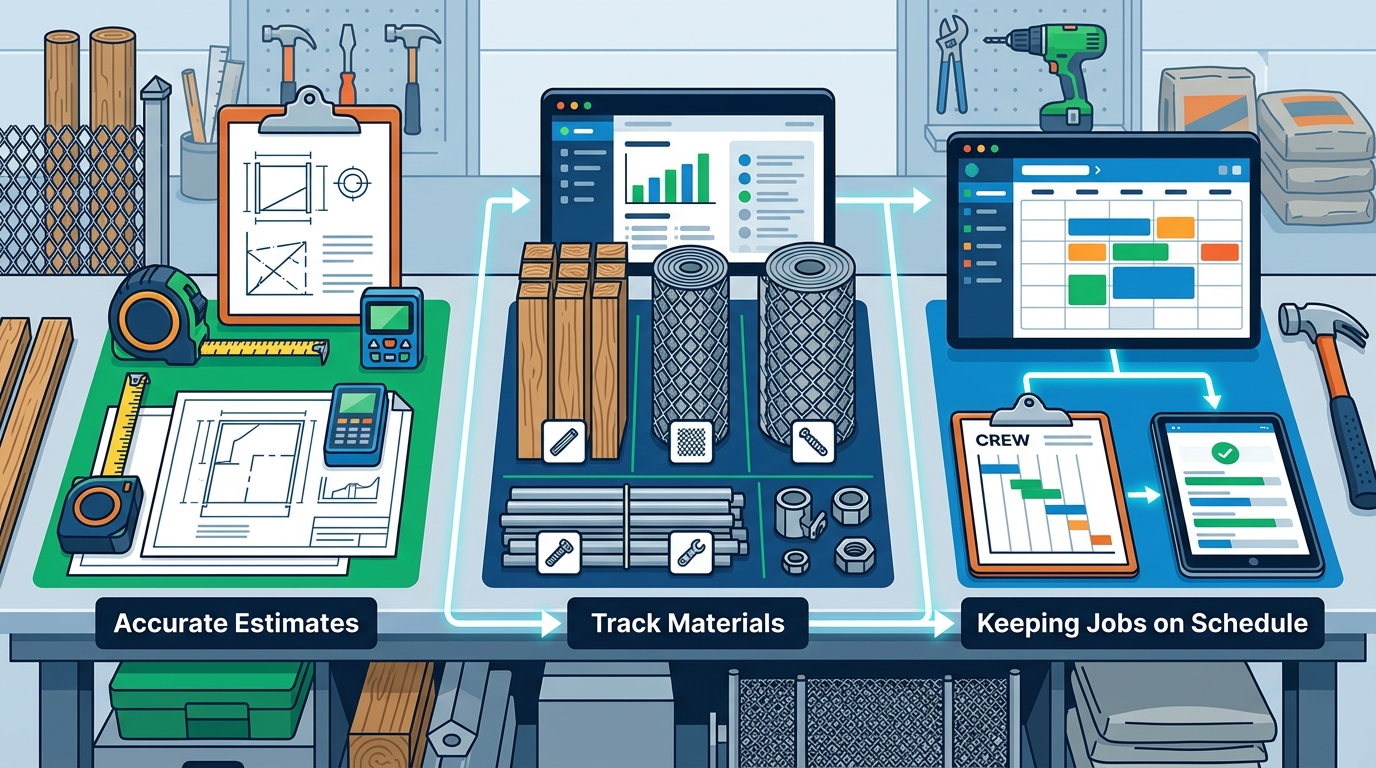
Running a fence contracting business means juggling three critical workflows every single day: building accurate estimates, tracking materials, and keeping jobs on schedule. When any one of these breaks down, margins shrink, crews sit idle, and customers lose confidence. This guide walks through practical, field-tested strategies to streamline all three—so you spend less time on paperwork and more time installing fence.
Why These Three Workflows Are Inseparable
Estimating, material management, and scheduling aren't three separate problems—they're one interconnected system. A sloppy estimate leads to wrong material orders, which delays delivery, which pushes your schedule out by days or weeks. According to industry research, proper resource allocation ensures that resources are utilized effectively, avoiding overuse or underutilization, which can lead to delays or increased costs. The same principle applies whether you're building a high-rise or a 300-foot cedar privacy fence: get the numbers right up front and the rest falls into place.
For fence contractors specifically, the stakes are high because margins are tight. Over-order materials and you eat the cost of surplus lumber or vinyl. Under-order and you lose a day waiting for a re-delivery. The solution is connecting your estimate directly to your material list and your material list directly to your job schedule.
Step 1: Build Faster, More Accurate Estimates
The estimate is the foundation of every fence project. It determines your material quantities, labor hours, and ultimately your profit. Here are the keys to getting it right without spending hours on each quote.
Use Pre-Loaded Fence Templates
Rather than building every estimate from scratch, use software with configurable templates for common fence styles—wood, vinyl, chain link, and ornamental. Platforms like DirtFace come pre-loaded with hundreds of fence templates, allowing you to work quickly since most fence designs you encounter are already in the system. This eliminates repetitive data entry and ensures consistent pricing across your team.
Automate Material Takeoffs
A material takeoff is a detailed list of every physical component needed to complete a job and their associated costs. Manual takeoffs are time-consuming and error-prone. Modern fence estimating software calculates time estimates, labor costs, material lists and costs, overhead expenses, concrete costs, and profits—enabling you to create fast and accurate estimates every time. When the takeoff is generated automatically from your fence design, human math errors virtually disappear.
Lock In Supplier Pricing
Your estimates are only as accurate as your unit costs. Industry best practices recommend consulting suppliers for up-to-date pricing on materials and equipment, and regularly updating your cost databases to reflect current market conditions. In DirtFace, you can customize your parts and labor pricing so every quote reflects your actual vendor costs—not last quarter's numbers.
Include Overhead and Profit Margins
Many fence contractors underbid because they forget indirect costs. In addition to direct costs, you need to account for indirect costs such as office rent, utilities, insurance, and salaries for non-field staff. Build a standard overhead percentage into your templates so it's automatically applied to every estimate.
Step 2: Manage Materials Without the Chaos
Once the estimate is approved and the job is sold, material management becomes the priority. Here is how to keep your supply chain tight on every fence project.
Link Your Estimate to Procurement
The smartest thing you can do is eliminate the gap between your estimate and your purchase order. Material estimates are essential for planning and implementing the construction project as they directly affect the budget, schedule, and procurement timeline. When your estimating tool feeds directly into a purchase order or material list, nothing gets lost in translation.
Schedule Deliveries to Match Installation Phases
Don't have all materials dumped on site day one. A general contractor needs materials delivered on time, stored properly, and used efficiently. For fence jobs, this might mean scheduling post materials and concrete for week one, and panels and hardware for week two. This reduces site clutter, minimizes theft risk, and keeps your staging area manageable.
Track Inventory in Real Time
If you run multiple crews, you need visibility into what's on each job site and what's in your yard. Construction management software automates every step from scheduling to vendor communication, and the precise figures and estimates are not lost when shifting from one construction phase to another. DirtFace offers built-in inventory tracking so you always know where your materials stand.
Handle Change Orders Cleanly
Customers change their minds. They want an extra gate, an upgraded style, or ten more feet of fence. Scope creep occurs when the project scope expands beyond the original plan without corresponding adjustments to the budget or schedule. Implement a strict change order process—every modification gets documented with its cost and schedule impact before work proceeds.
Step 3: Keep Every Job on Schedule
Late projects kill referrals, trigger penalty clauses, and tie up crews that should be starting the next job. Here's how to build and maintain a reliable schedule.
Use a Work Breakdown Structure
Even fence jobs benefit from breaking the project into discrete tasks. A Work Breakdown Structure is a hierarchical decomposition of the total scope of work, breaking down large projects into smaller, more manageable components. For a typical residential fence job, your WBS might include: site survey, utility locate, post hole digging, post setting, concrete curing, rail and panel installation, gate hanging, and final walkthrough.
Identify Your Critical Path
On a fence project, the critical path is usually straightforward—posts must cure before rails go up, rails must be set before panels attach. But when you're running five jobs simultaneously, understanding which tasks on which jobs can't slip is essential. The critical path represents the longest sequence of dependent tasks, dictating the overall project timeline. Tasks not on this path have float, offering more scheduling flexibility for crew assignments.
Build Buffer Time for Real-World Conditions
Weather, utility conflicts, and permit delays are realities of outdoor construction. Best practice is to allocate buffer periods for unforeseen events such as weather, supply chain disruptions, and permit delays, and use contingency planning to keep the project moving without burning through the budget. A two-day buffer on a two-week fence job is reasonable and prevents cascade failures across your schedule.
Adopt Drag-and-Drop Scheduling
Spreadsheets and whiteboards don't scale. Purpose-built scheduling tools let you move jobs and crews around visually. Firms that use integrated digital platforms report higher on-time completion rates compared to those relying on manual coordination. DirtFace includes drag-and-drop scheduling and mobile work orders, so your field crews see real-time updates on their phones.
Conduct Weekly Lookahead Planning
Borrowing from lean construction, lookahead planning involves reviewing upcoming tasks and identifying any obstacles—material availability, equipment access, or permit status—before they cause delays. Construction teams review the tasks outlined in phase planning and create weekly work plans around those tasks, with each team responsible for completing their assigned work. Even a 15-minute Monday morning review can prevent most mid-week surprises.
Step 4: Connect Everything in One Platform
The biggest simplification comes from eliminating app-switching. When your estimates, material lists, schedules, invoices, and customer communications live in separate tools, information falls through the cracks.
Why All-in-One Beats Best-of-Breed for Small Crews
Large general contractors may justify separate estimating, ERP, and scheduling systems. But for fence contractors running one to ten crews, the overhead of managing multiple platforms outweighs any feature advantage. The industry is increasingly using construction management software integrated with multiple point solutions to create schedules—including integration with estimating, modeling, and even supplier systems. Seamless integration saves time and effort, enforces accountability and transparency, and streamlines workflows.
What to Look for in Fence Contractor Software
- Estimate-to-invoice workflow: Your quote should flow into a job, then into an invoice, without re-keying data.
- Material takeoff automation: The system should generate a parts list from your fence design automatically.
- Scheduling with mobile access: Field crews need to see their assignments and report progress from their phones.
- Accounting integration: QuickBooks or similar sync keeps your books accurate without double entry.
- Customer portal: Let homeowners view documents, approve quotes, and make payments online.
DirtFace was built specifically for fence contractors and bundles all of these capabilities—professional estimates and material takeoffs, shop drawings, inventory, lead capture, drag-and-drop scheduling, mobile work orders, QuickBooks sync, and invoicing—in one place.
Real-World Example: A Five-Crew Fence Company
Consider a mid-size fence contractor running five installation crews across a metro area. Before adopting integrated software, the owner spent Sunday evenings building Monday's schedule in a spreadsheet, texting material lists to a supplier, and manually creating invoices from estimate printouts.
After switching to an all-in-one platform, the workflow changed dramatically:
- Estimate created on-site during the sales appointment using pre-loaded vinyl and wood templates on a tablet.
- Customer e-signs the proposal through the customer portal—no chasing PDFs.
- Material list auto-generates from the approved estimate and feeds into a purchase order.
- Job appears on the drag-and-drop schedule and is assigned to the next available crew.
- Crew receives mobile work order with all details, drawings, and materials listed.
- Invoice is generated upon job completion and syncs to QuickBooks automatically.
The result: fewer errors, faster payment cycles, and the ability to take on more jobs without adding office staff.
Key Takeaways
- Estimating accuracy drives everything. Use templates and automated takeoffs to eliminate math errors and speed up quoting.
- Material management starts at the estimate. Link your quote directly to procurement so nothing gets lost between sale and installation.
- Scheduling needs structure, not complexity. A simple WBS, critical-path awareness, and buffer time handle most residential and commercial fence projects.
- One platform beats five apps. Integrated software removes data re-entry, reduces miscommunication, and lets small teams operate like larger ones.
- Weekly reviews prevent big problems. A short lookahead meeting catches supply, crew, and permit issues before they derail your week.
Frequently Asked Questions
What is fence estimating software?
Fence estimating software is a specialized tool that helps contractors quickly calculate material quantities, labor costs, overhead, and profit for fence installation projects. It typically includes pre-loaded templates for common fence styles—wood, vinyl, chain link, and ornamental—so you can generate professional quotes in minutes instead of hours.
How does material takeoff automation work for fence projects?
When you design a fence layout in the software—specifying style, height, length, gates, and terrain adjustments—the system automatically generates a complete parts list with quantities. This eliminates manual counting and reduces ordering errors that lead to project delays or wasted budget.
Can small fence contractors benefit from project scheduling tools?
Absolutely. Even a one-crew operation benefits from a visual schedule that tracks upcoming jobs, links to material delivery dates, and sends reminders. As you grow to multiple crews, scheduling tools become essential for avoiding double-bookings and keeping every job on time.
How do I prevent material shortages on fence jobs?
The most effective approach is linking your approved estimate directly to a purchase order so the exact quantities flow through without manual re-entry. Additionally, schedule deliveries in phases that match your installation sequence, and track inventory in real time so you catch shortfalls before your crew arrives on site.
What's the best way to handle customer change orders without delaying the project?
Implement a formal change order process: document every scope change, calculate the cost and schedule impact, get customer approval in writing, and update your material order and schedule before proceeding. Software that connects estimates to schedules makes this adjustment nearly instant.
Why should fence contractors use all-in-one software instead of separate tools?
Separate tools for estimating, scheduling, invoicing, and communication create data silos where information gets lost or duplicated. All-in-one platforms keep your estimate, material list, schedule, and invoice connected, so a change in one area automatically updates the others—saving time and reducing costly errors.